
Product tour
Everything a snow school does,
in one place.
Each module below is part of the same system, sharing the same guests, students, instructors and money. Turn on the ones you use and leave the rest off.
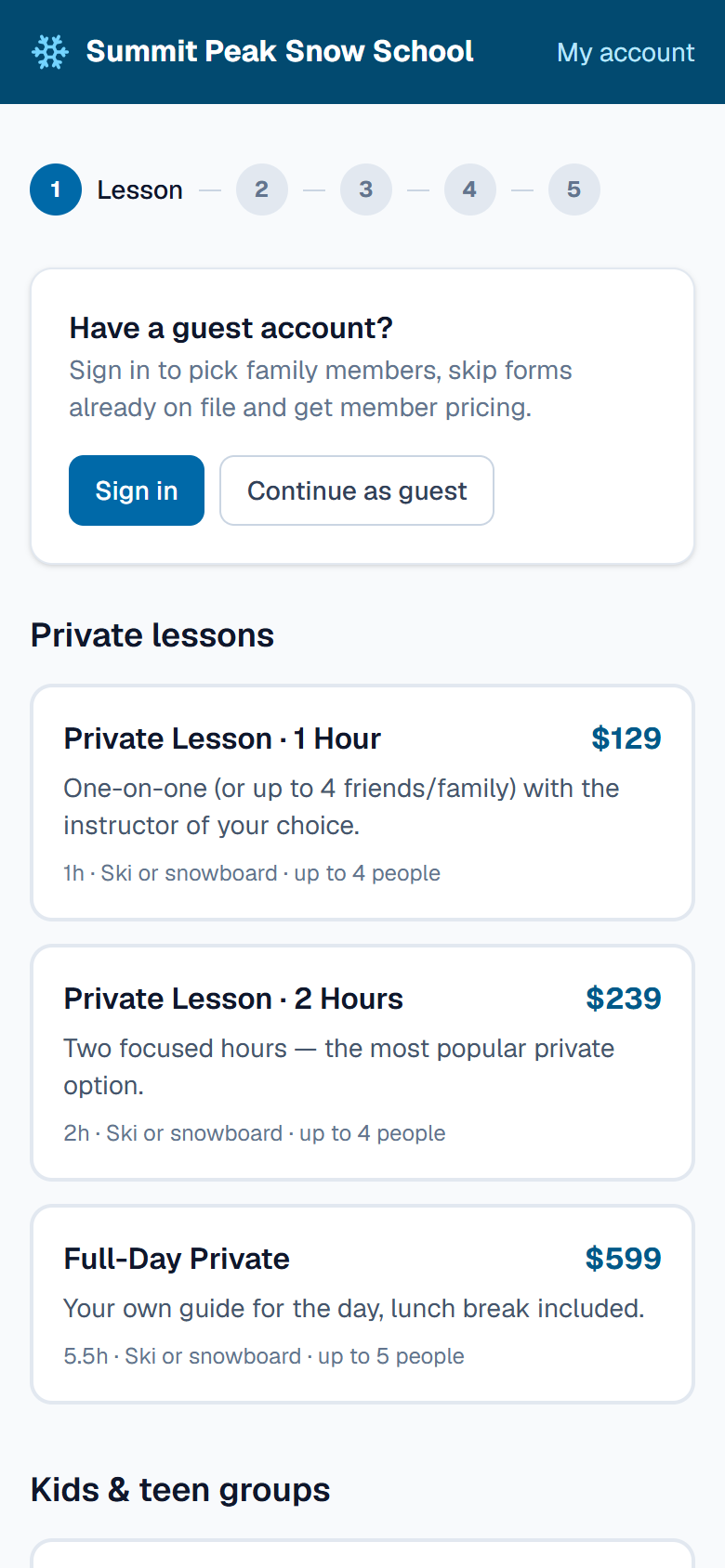
01Online booking
Guests book, sign and pay before they arrive.
A booking site in your resort's name for lessons and programs. Guests choose a time, request a favourite instructor, fill in the waiver and pay by card. Returning families sign in with a one-time code by email, with no password to forget.
- Private, semi-private and group lessons, plus multi-week programs
- Instructor requests, with the requested instructor starred on the board
- Waivers and medical forms signed once and kept on file
- Member pricing for signed-in families, coupons and gift cards
- Card checkout through Stripe
02Lesson board
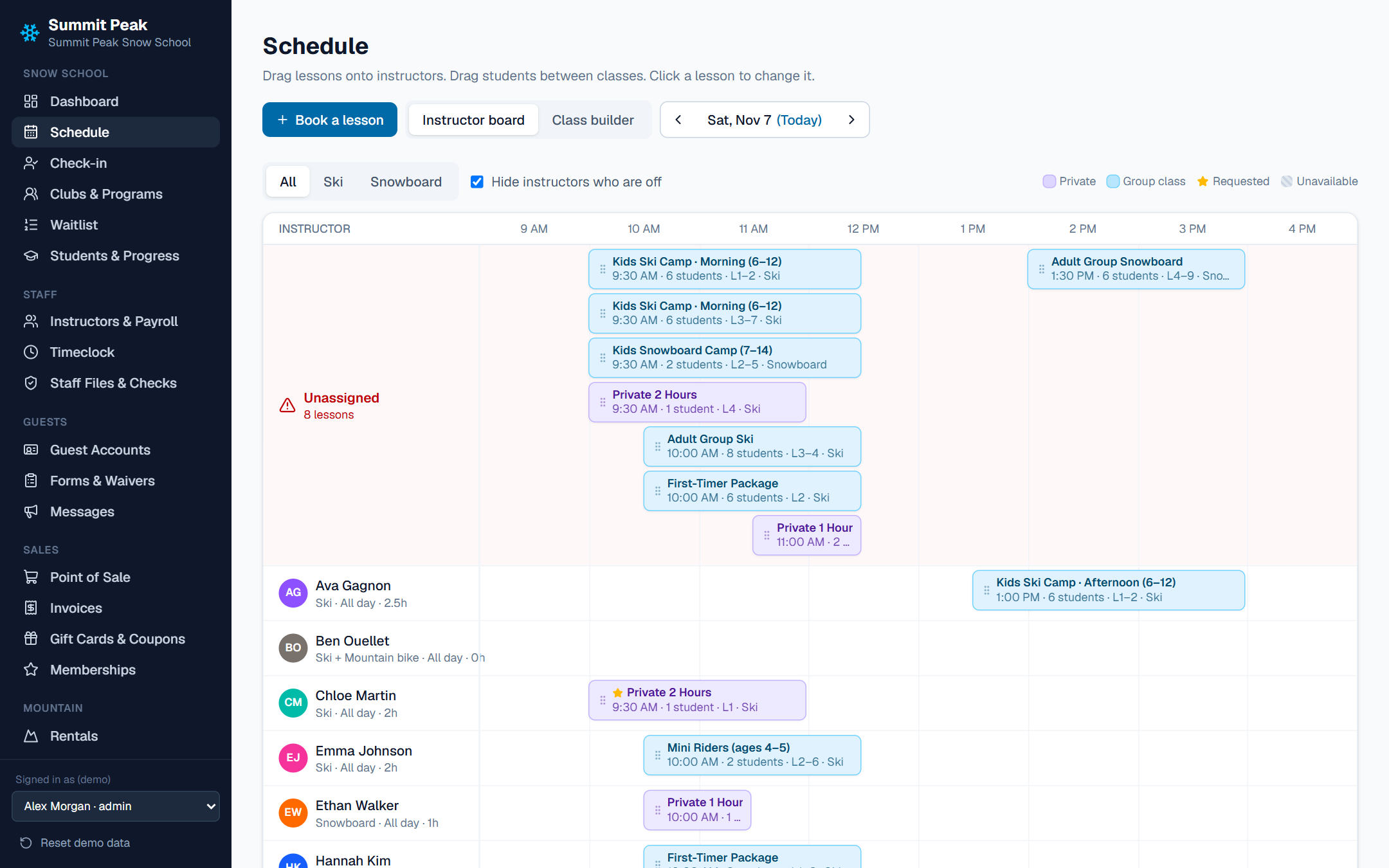
The morning line-up, on one screen.
Instructors down the side, the day across the top. Drag lessons onto people, and drag students between classes. The board won't let you double-book someone, put a snowboarder on a ski lesson or schedule someone who's marked unavailable.
- Unassigned lessons collected at the top in red
- Class builder that splits groups by level
- Filter by ski or snowboard; hide instructors who are off
- Book a lesson straight from the board
03Check-in
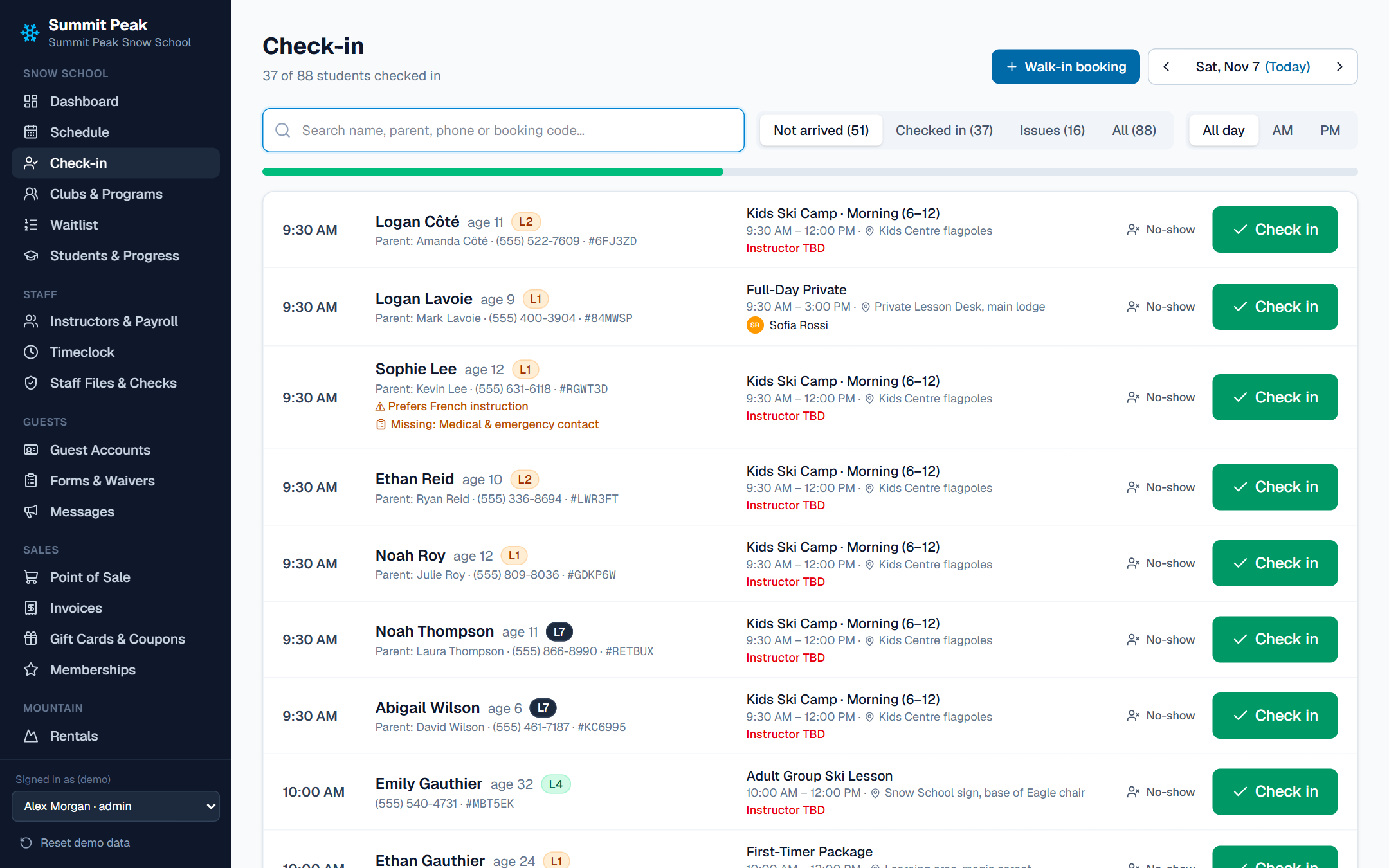
Find them, sign them, send them out.
The desk searches by student, parent, phone number or booking code. Missing forms, notes like "prefers French instruction" and unpaid balances show right on the row, so they're fixed at the desk rather than at the meeting spot.
- Waivers signed on the desk screen
- Take payment, then check in, in one step
- Walk-in bookings without leaving the screen
- No-shows recorded for the office
04Programs & clubs
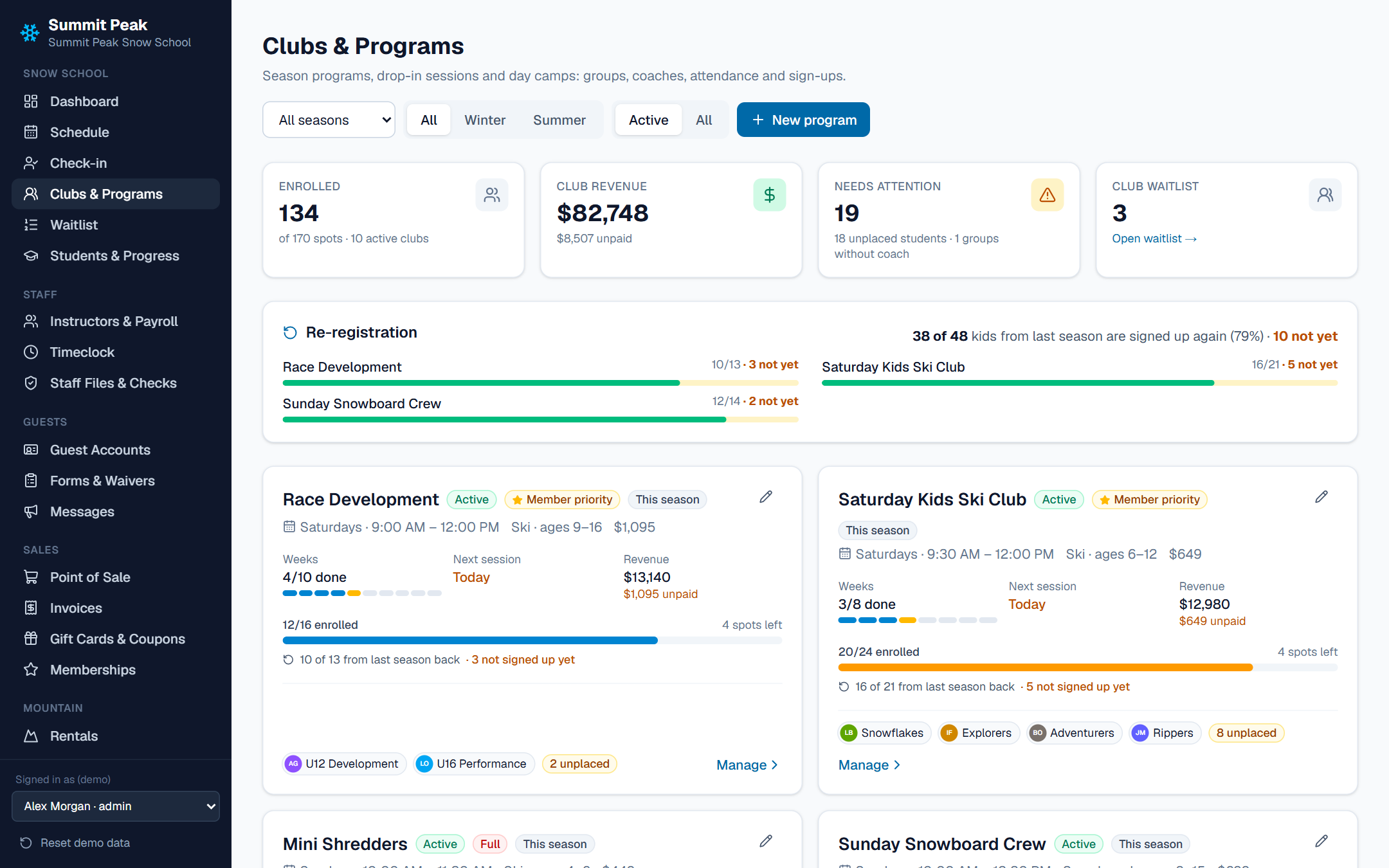
Eight Saturdays, not eight bookings.
Multi-week programs, race teams and kids' clubs with groups, coaches, a schedule of sessions and attendance. When a program fills, families join the waitlist and get a spot held for them when one opens.
- Groups by age and level, with a coach on each
- Attendance taken per session
- Re-registration: see which of last season's kids haven't signed up yet
- Member-priority enrollment before sign-up opens to everyone
- Waitlists with a position in line and timed offers
- Summer programs and day camps in the same system
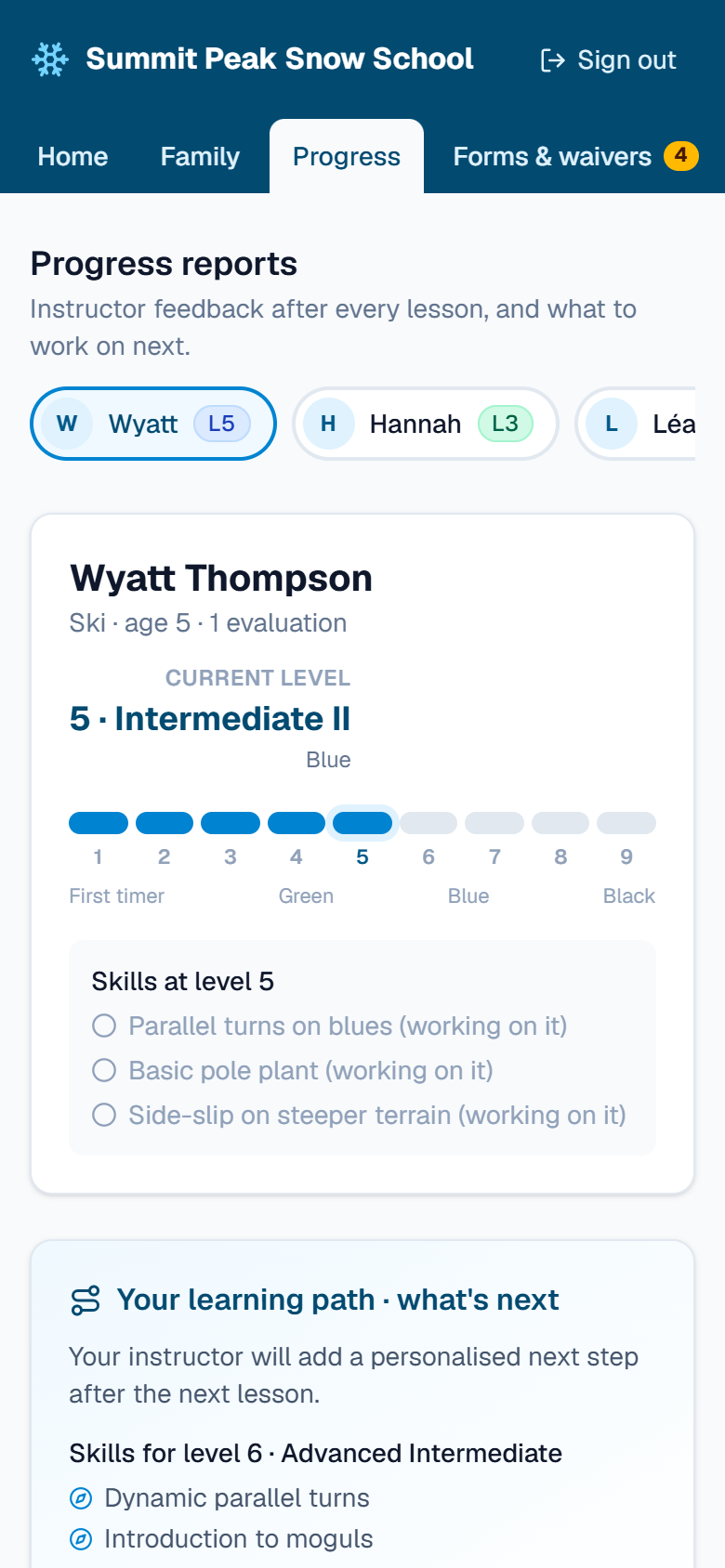
05Student progress
Parents see what their kids learned today.
Levels 1 to 9, each with its own skills checklist. Instructors evaluate from their phones after a lesson, and the family sees the report in their account, along with what to work on next.
- Level history for every student
- Skills checklist per level
- Next-step suggestions for the family
- Levels feed class placement on the board
06Instructors & payroll
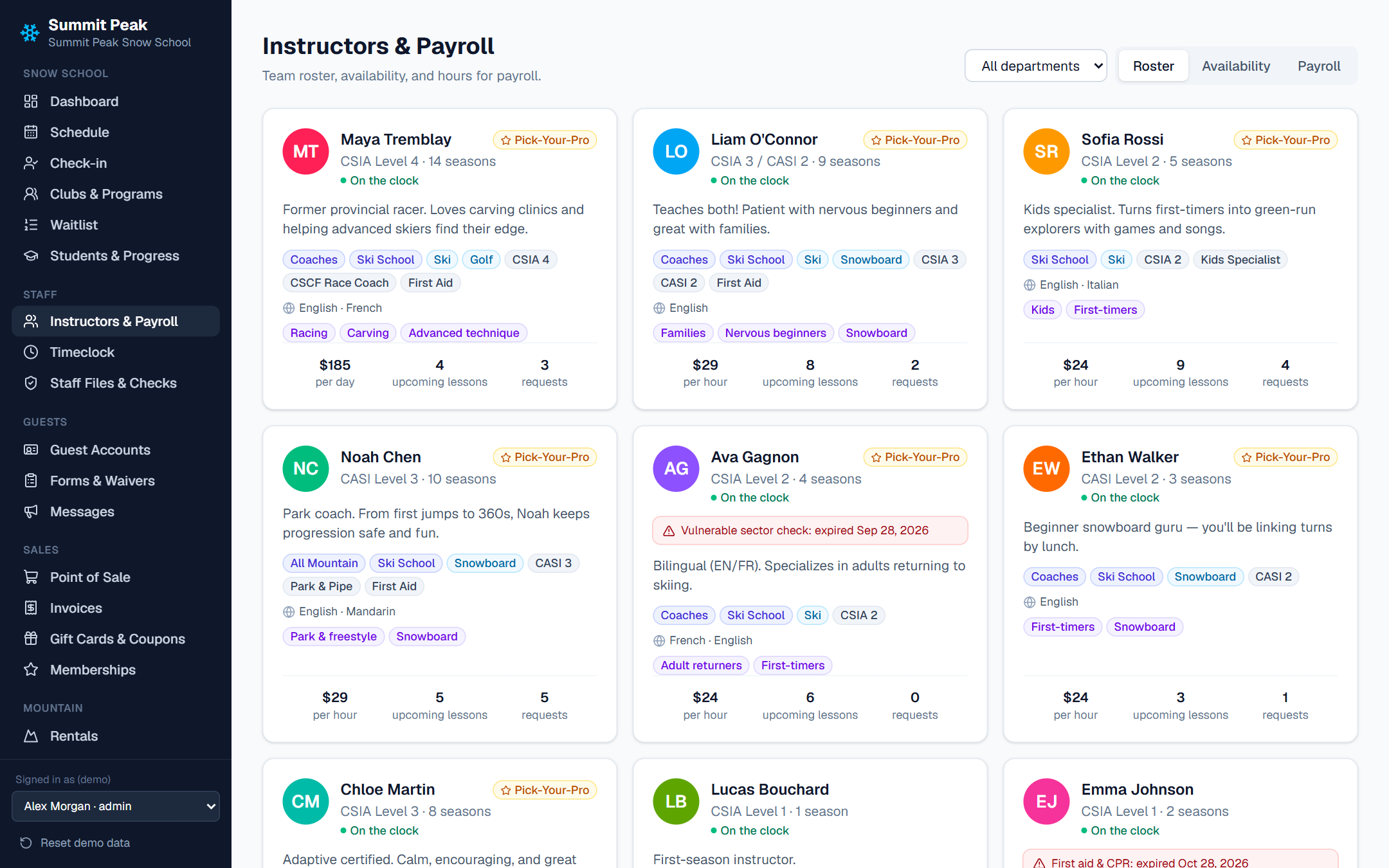
Every hour counted the day it's worked.
A roster with certifications, disciplines, languages and specialties. Instructors set their availability and clock in on their phones. Payroll comes from lesson hours or the timeclock, with line-up time, request bonuses and pay rates that can change by season.
- Certification and background check expiry warnings
- Availability grid and supervisor timeclock approval
- Hourly, daily and per-lesson pay, with bonuses
- Payroll export and general ledger totals for accounting
07Instructor portal
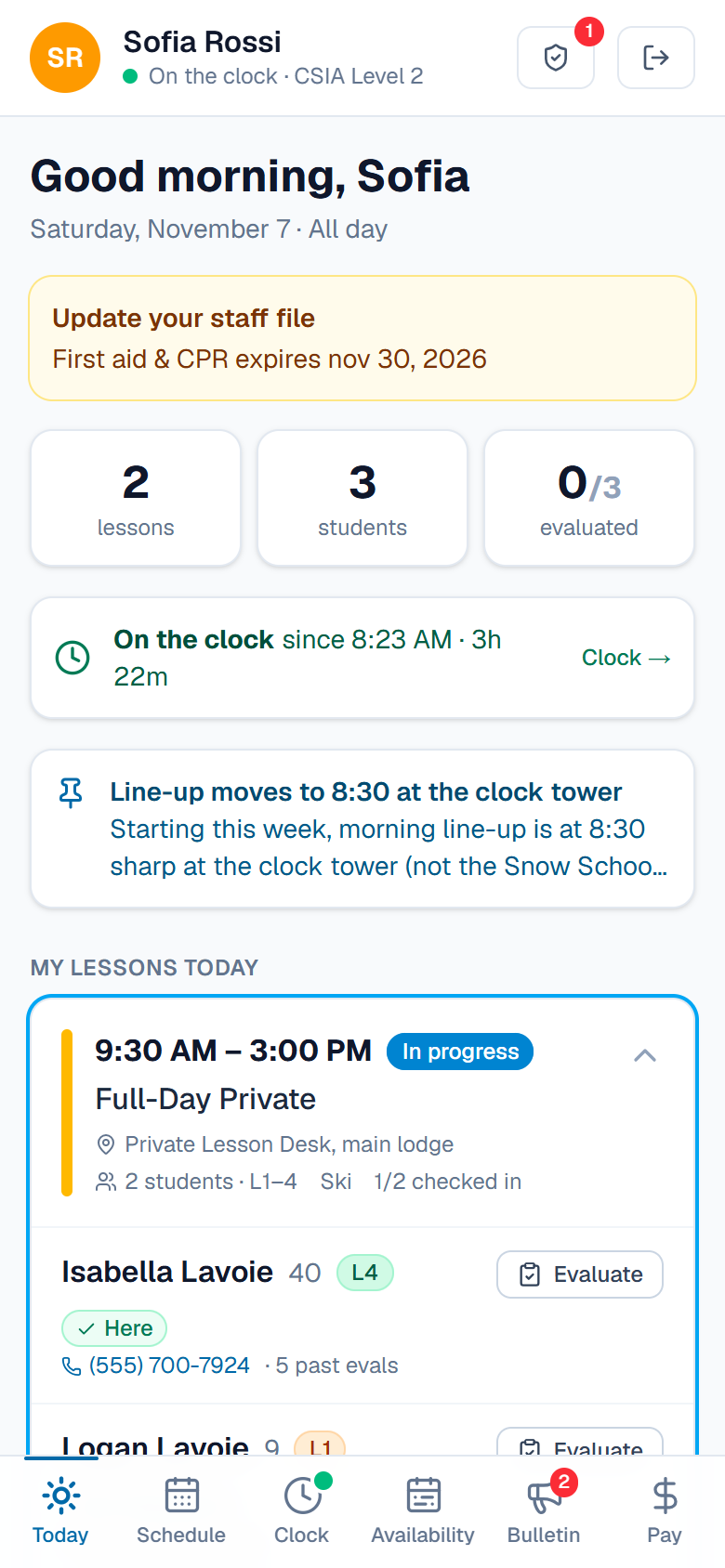
Their whole day, in their pocket.
Instructors sign in with their name and a PIN. They see today's lessons, who's checked in, each student's level and the meeting spot, and can evaluate students, read the bulletin board and check their pay.
- Opens in the phone's browser, no app store
- Clock in and out with a tap
- Reminders when a certification is about to expire
08Point of sale & rentals
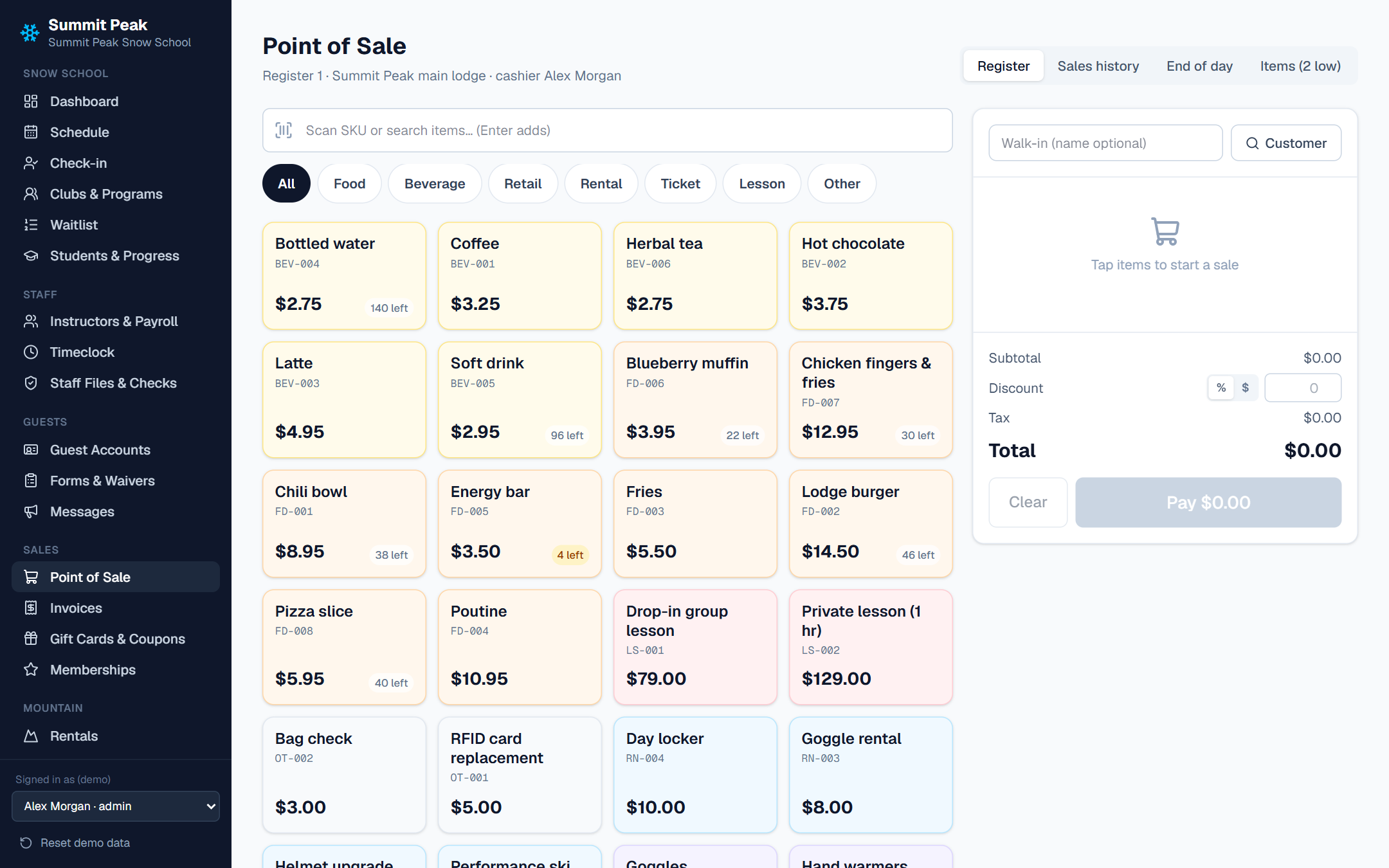
One till for lessons, hot chocolate and goggles.
Sell lessons, retail, food and drink, rentals and lift tickets from one register. Rentals have their own inventory, packages and signed agreements. Gift cards, coupons and memberships work everywhere guests pay.
- Card, cash, gift card or charge to a member account
- Low-stock warnings and end-of-day close-out
- Rental packages and agreements
- Lift tickets, guest passes and RFID cards
09Messages & reports
Tell everyone at once. See how the season's going.
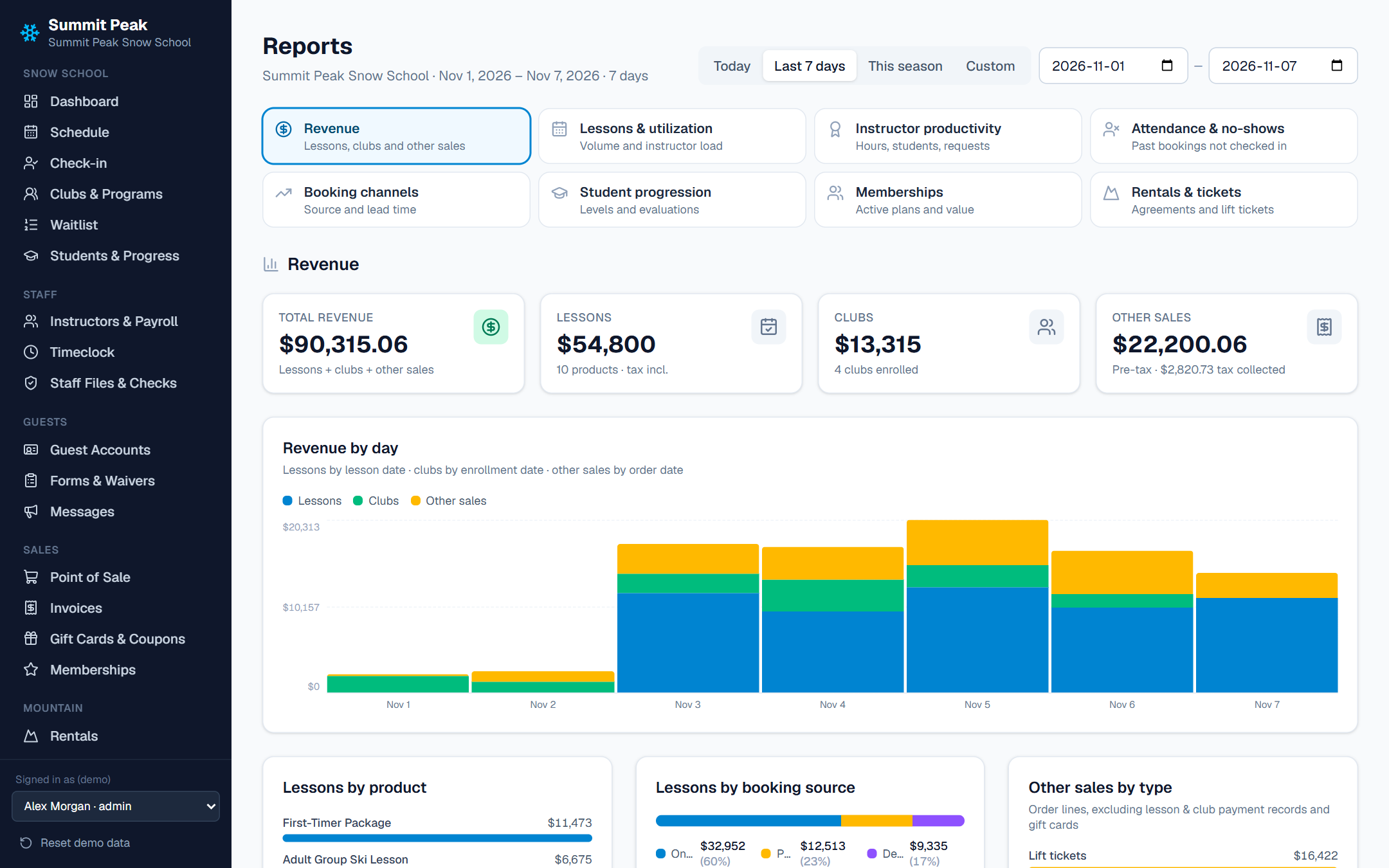
Email and text guests by lesson, program or day, set up automatic reminders, and post to the staff bulletin board. Reports cover revenue, lessons, instructor utilization and payroll.
- Mass email and SMS with delivery status
- Automations for reminders and follow-ups
- Revenue by channel: online, desk and POS
- Utilization by instructor
Private clubs
Built for member families, not just day guests.
Private ski clubs run differently. Members are families with season programs and race teams, and most purchases go on the member's account rather than a card. SnoDesk handles that directly, and posts charges to member accounts in Jonas Club Software.
For members
- Member pricing when signed in
- Family accounts with every child
- Season programs and race teams
- Progress reports for each child
For the club office
- Charge to member account at the desk and POS
- Jonas accounting and payroll export
- Staff onboarding and pay rates
- Season rollover
Everything else
The rest of the snow school office.
| Module | What it does |
|---|---|
| Dashboard | Today's lessons, check-in progress, revenue, alerts for unassigned lessons and missing waivers, and instructor utilization. |
| Waitlist | A queue for each lesson or program, with position in line and spot offers that expire after a hold time. |
| Guest accounts | Families, students, contact details and full booking history. |
| Forms & waivers | Build your own forms and waivers and see every submission. |
| Staff files & checks | Certifications, first aid and background checks, with expiry warnings for the office and the instructor. |
| Invoices | Invoices for school groups and organizations, with payments recorded against them. |
| Gift cards, coupons & memberships | Sell and redeem gift cards, run coupon codes and vouchers, and set member plans with their own pricing. |
| Lift tickets, passes & RFID | Ticket products, guest passes, RFID cards and access scans. |
| Admin settings | Seasons, programs, staff and roles, business rules, pricing, change history, and data backup and restore. |
See your snow school set up in it.
Bring your lesson list and your busiest-day questions. We'll walk through the booking site, the board, the desk and the instructor's phone with you.